Best AI Shorts Generators in 2026
Pasting a YouTube link and getting back short-form clips is table stakes now. The real question is which tool fits your workflow: how much you repurpose, whether you care most about speed vs control, and what you're willing to pay. We built MakeShorts for creators who want clips and captions without opening an editor. Here's how we compare to Vizard, Klap, Opus Clip, Munch, and Submagic in 2026.
What we're comparing
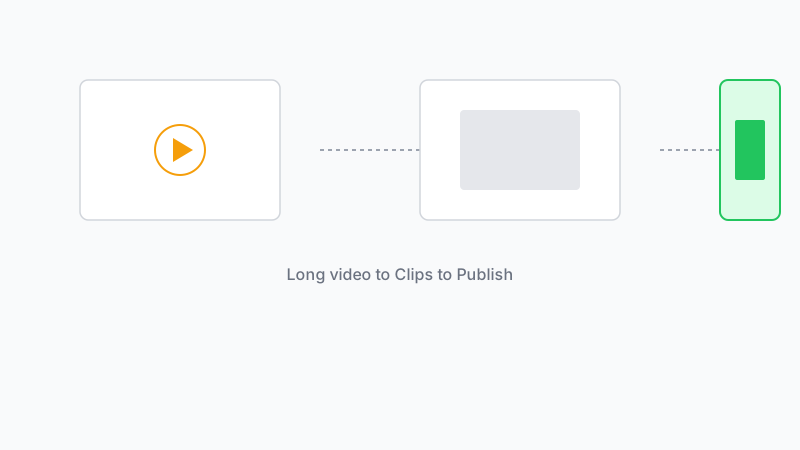
All of these tools turn long-form video into short clips. They differ in who they're built for (solo creators vs teams), how much editing they do for you (captions, zoom, B-roll), and how you get content in (YouTube link, upload, API). We're focusing on the core loop: get a long video in, get short clips with captions out, without a full edit bay.
MakeShorts
MakeShorts is built around one flow: paste a YouTube link, get AI-suggested clips with auto captions, download. No timeline, no manual caption sync. We're aimed at creators who repurpose regularly and don't want to spend an afternoon cutting and captioning. Clip quality and caption accuracy are the main focus; we're adding smarter clip detection and more export targets. If you already have long-form on YouTube and want shorts (and eventually TikTok/Reels) without opening an editor, MakeShorts is built for that.
Vizard
Vizard is built for repurposing webinars, podcasts, and long talks into short clips. It handles transcription, highlight detection, and captions, and is often used by teams and marketers. The interface is straightforward and the output is polished. Where it shines: bulk repurposing of recorded webinars or podcast episodes. Where it might be more than you need: if you're a solo creator with a few YouTube videos and don't need webinar-specific features or higher-tier pricing. (See our full comparison: Best Vizard Alternative)
Klap
Klap turns YouTube videos and podcasts into short clips (especially TikTok-style) by finding "juicy" moments. It's built for speed and volume: you get a lot of clips quickly. The tradeoff is that the AI's idea of "best moment" might not always match yours, so some creators run the clips through and pick what to publish. If your goal is to test a lot of short-form from one long video with minimal effort, Klap is worth a look. (See our full comparison: Best Klap Alternative)
Opus Clip
Opus Clip focuses on turning long videos (especially YouTube) into clips with captions, trimming, and extras like auto-zoom and transitions. It sits between "paste link, get clips" and "light editing suite." If you want a bit more control over how clips look (zoom, pacing, sound) without going full Premiere, Opus Clip is in that space. Good fit if you care about presentation and don't mind a few more steps than the most minimal tools. (See our full comparison: Best Opus Clip Alternative)
Munch
Munch is aimed at marketing and B2B use: turning long content into clips for social, ads, and campaigns. It emphasizes clip quality and positioning for brands rather than pure creator speed. If you're repurposing for a brand or a marketing team and need consistent, on-brand clips, Munch is built for that. For solo creators who mainly want to turn a vlog or tutorial into shorts, it might be more than you need. (See our full comparison: Best Munch Alternative)
Submagic
Submagic is known for captions and short-form polish: AI captions, auto-edit, "magic" clips, B-roll, and more. It's used by a lot of established creators and has expanded into avatars, translation, and an API. If your priority is highly polished, caption-first shorts and you're okay with a broader feature set (and pricing to match), Submagic is a strong option. It's less "paste link, get clips and go" and more "short-form studio in a tool." (See our full comparison: Best Submagic Alternative)
Eklipse
Eklipse is a gaming-first AI clipper that connects directly to Twitch and Kick streams. It excels at finding kill streaks, wins, and high-energy moments. If you're a streamer, it's a top contender. For podcasters and non-gaming creators, however, its gaming-centric AI might miss the nuances of conversation. (See our full comparison: Best Eklipse Alternative)
How to choose
- You want the simplest path from YouTube link to shorts with captions: Try MakeShorts or Klap. Both are built for that. MakeShorts leans on clip quality and captions; Klap leans on volume and speed.
- You're repurposing webinars or podcasts in bulk: Look at Vizard.
- You want more control over zoom, pacing, and style: Opus Clip fits.
- You're a brand or marketing team: Munch is built for that.
- You want maximum polish and a full short-form toolkit: Submagic.
Specific Guides
- For Podcasters: Best AI Video Clipper for Podcasts
- For YouTubers: How to Convert YouTube Videos to Shorts
- For Streamers: Best AI Clipper for Twitch Streamers
- Price Comparison: AI Shorts Generator Pricing 2026
- For Agencies: White Label AI Clipper for Agencies
- Auto Captions: Best AI Auto Caption Generator
More Alternatives
Comparing other tools? Check out our dedicated guides:
- MakeShorts vs. Vidyo.ai
- MakeShorts vs. 2short.ai
- MakeShorts vs. Dumme
- MakeShorts vs. Spikes Studio
- MakeShorts vs. Wisecut
- MakeShorts vs. Choppity
We built MakeShorts for the first case: paste a link, get clips and captions, download, publish. If that's your main workflow, give it a try and see how it fits.
Ready to create shorts in minutes?
Paste a YouTube link, get social-ready shorts with AI. No editing required.
Try MakeShorts freeNo credit card required • Free credits included